Replies
No one has replied to this post.
Yeah, I had a bit of faffing around with this.
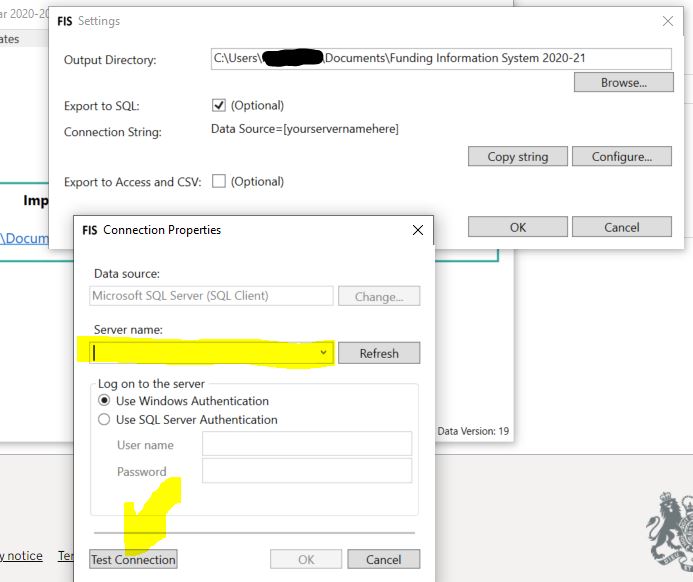
In the settings > SQL settings box, I've just got (localdb)\v11.0 (which "connects") but then when I click Import FIS, then I've got the top switch to "Use FIS Connection String" and then the same string you've got above in the box there.
Hi team,
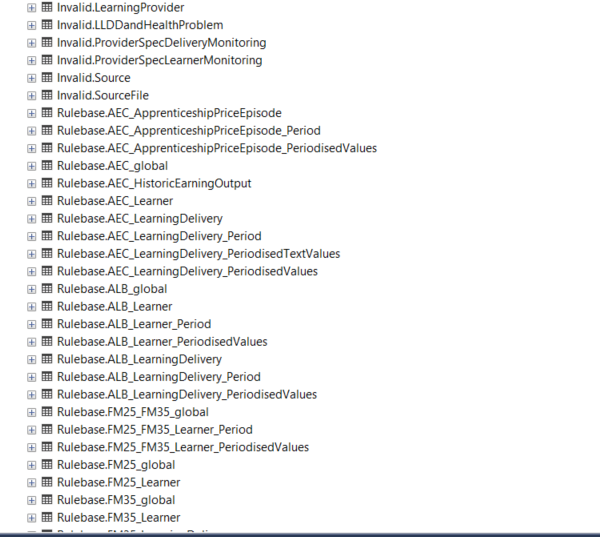
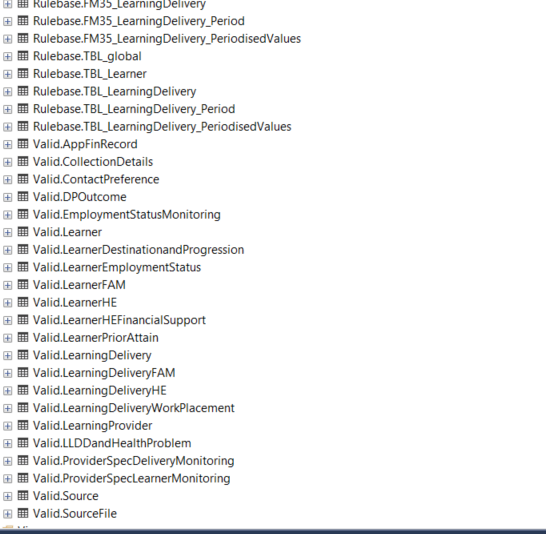
I am having trouble storing the ILR-validated report in the SQL server. The FIS tool is able to generate the SQL schema and tables, but it is not storing the data into the tables.
I have checked the FIS log files for errors, but I have not been able to find any. I have also tried restarting the SQL server and the FIS tool, but the problem persists.
PowerShell command that I'm using,
.\ESFA.DC.ILR.Desktop.CLI.exe -f ".\ILR.xml" -c "Server=localhost; Database=ILR.Reports; Trusted_Connection=True;" -o ".\OutputDirectory"
config file screenshot,

Tables that generated, 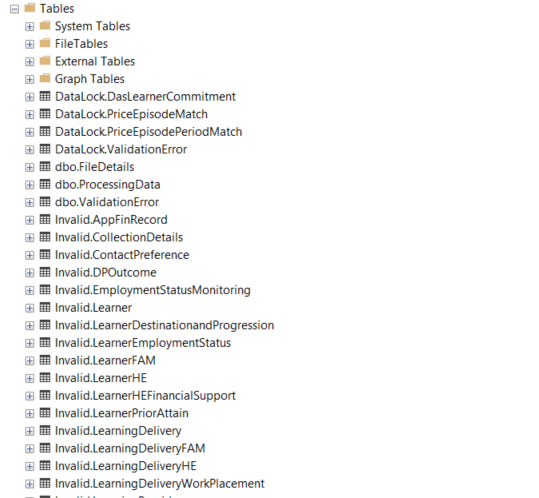
I would appreciate any help you can provide in troubleshooting this issue.
Thanks
Manikanta.
Steven H
FIS - Export to SQL Connection String (PDSAT)
Created
Hi All, I am installing PDSAT and trying to connect to the FIS on a new laptop. I am trying to 'Import FIS'.
In FIS 20/21 v 10.1 I am trying to use the following connection String,
Data Source=CMD********\SQLEXPRESS;Initial Catalog=ILR2021;Integrated Security=True
This is what I used previously with success. Now it will not work and in FIS when I 'Test Connection' I get an error, "Unable to connect to the chosen server with specified server and user details. CAny anyone point me in the right direction.
Cheers
Steven