Replies
No one has replied to this post.
Helen Robinson I am now having exactly the same problem as you. I've tried running from onedrive & C drive and i'm getting the same error.
Have you managed to sort it? If so how???
Thanks
Hi Andrew,
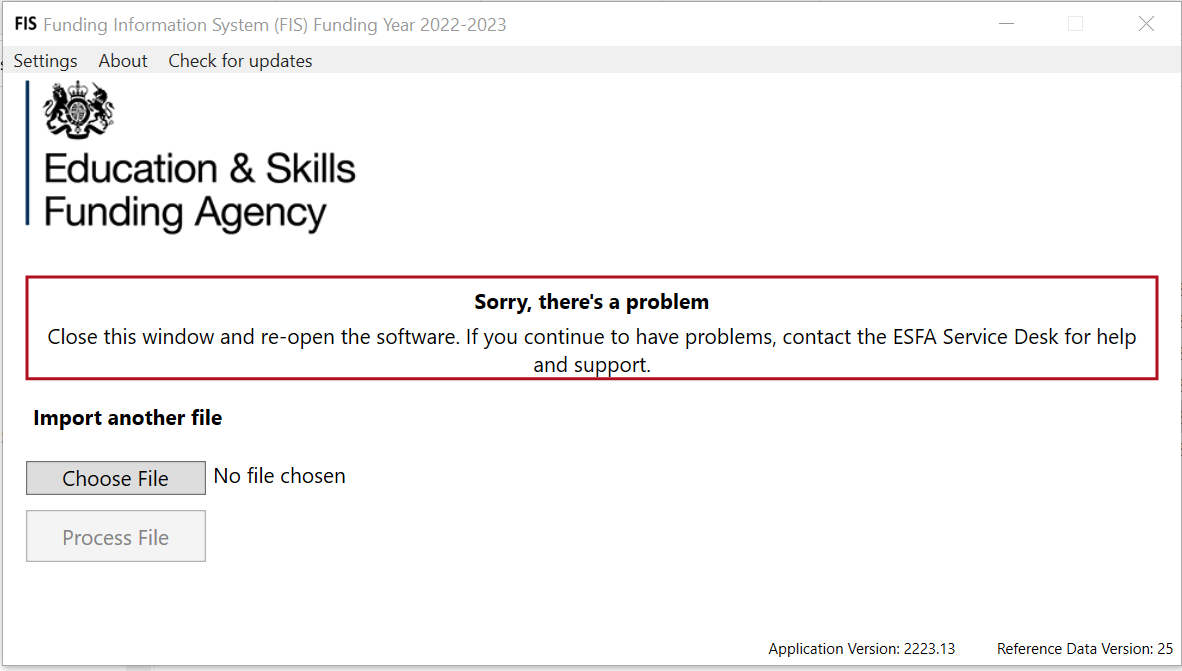
Yes I did solve it. Since I ran in June new virus protection had been added to the folder the reports get stored in and this was causing the error. I changed the Output Directory that is in settings to the same drive FIS is stored in.
I hope this fixes it for you too!
Good afternoon Andrew Dickens,
There are a number of reasons this error screen can occur. Please find below a link to the FIS Error guide:
Funding Information System Error – ESFA help centre (education.gov.uk)
There's also an error log located in the 'Logs' folder where you have FIS installed. This should show the reason for the crash. If you cannot find a solution please contact us via the online form and I will personally help you resolve this.
Cheers,
Henry W
Helen Robinson
FIS Issue
Created
Is anyone else having a problem with FIS? Every time I try to run my ILR through it to validate I get an error saying to shut it down and try again. I've reinstalled it so many times and tried from other machines but no luck.